Meta ImageMetaImage

Nano Banana 2.1

An AI image generator for short infographics, photo edits, and scenes built from up to 10 reference photos. It is Google's October 6, 2026 update to Nano Banana 2, with 1K, 2K, and 4K stills. It runs in the browser on Meta Image.

On Meta Image — an independent browser studio — Nano Banana 2.1 runs with credits, history, and downloads. Meta Image Generator guide →

10 credits at 1K · 15 at 2K · 22 at 4K. Reference photos are included.

Updated November 8, 2026

Need all models and presets? Open full studio →

Specifications

Input
Text prompt, or a text prompt plus up to 10 photos
Output
PNG still
Max resolution
1K, 2K, or 4K. Wide frames use 2K or 4K.
Credits
10 / 15 / 22. Reference photos are included.

What the result looks like

These are the jobs people open Nano Banana 2.1 for. Each frame fills in when a real result is saved into the site. Until then it shows the file name and the settings to run.

A short infographic with the labels you wrote
PNG3:42K

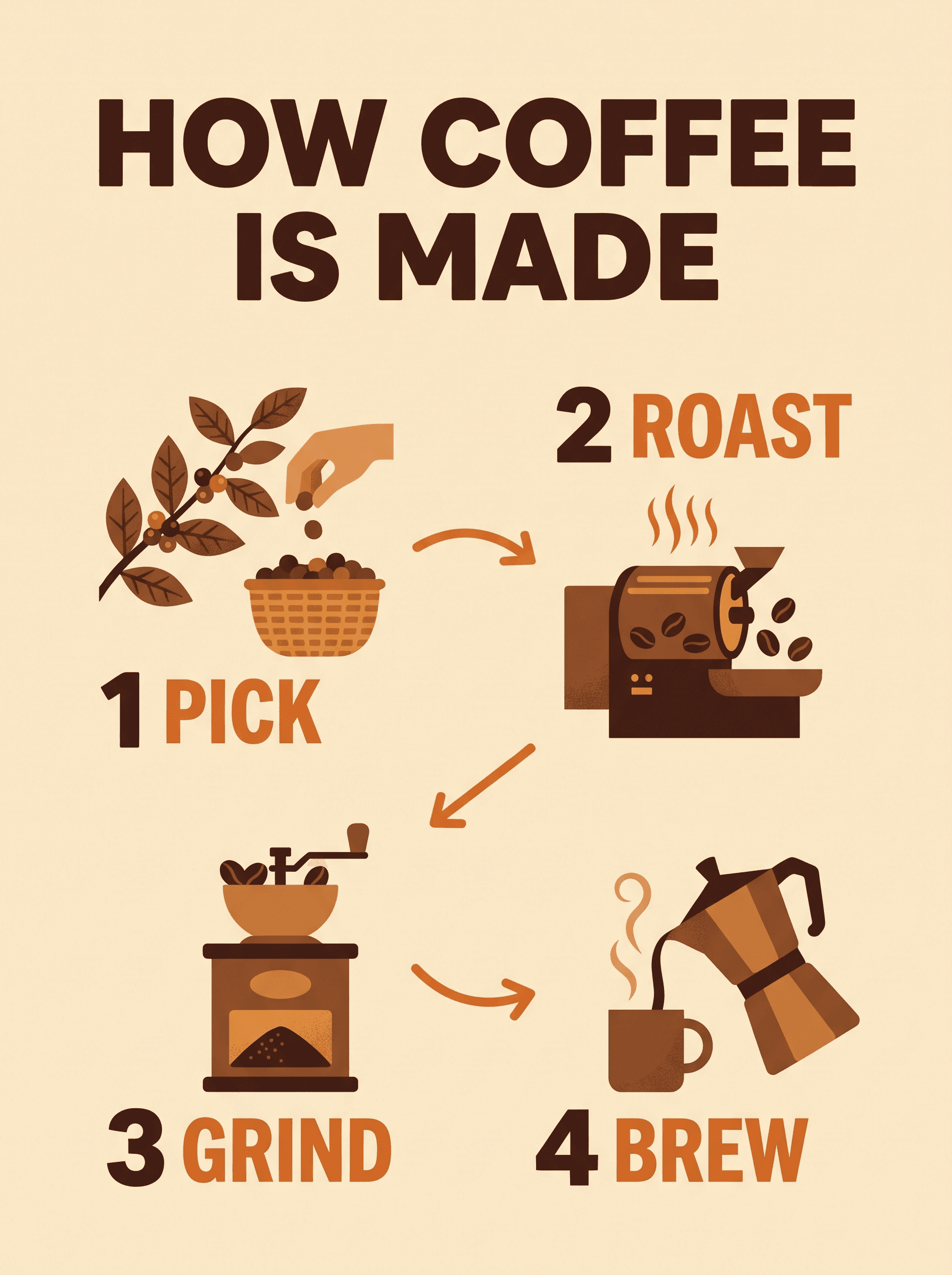
A short infographic with the labels you wrote

Four short labels, one icon each, and arrows between them. 2K keeps the words readable. 1K often blurs type this small.

Read every label. If a step is missing, or the poster adds a sentence you did not write, run it again. Do not treat the diagram as a source of facts.

A flat infographic poster titled "HOW COFFEE IS MADE". Four numbered steps labeled "1 PICK", "2 ROAST", "3 GRIND", and "4 BREW". Cream background, brown and orange palette, one simple icon per step, arrows between steps. No other text.

Load this setup →
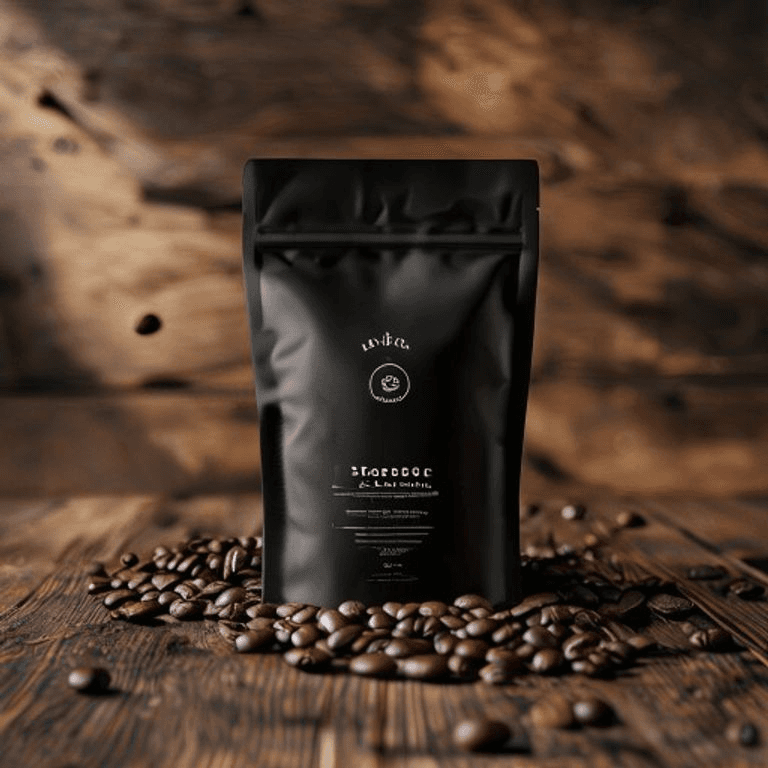
Before
Before
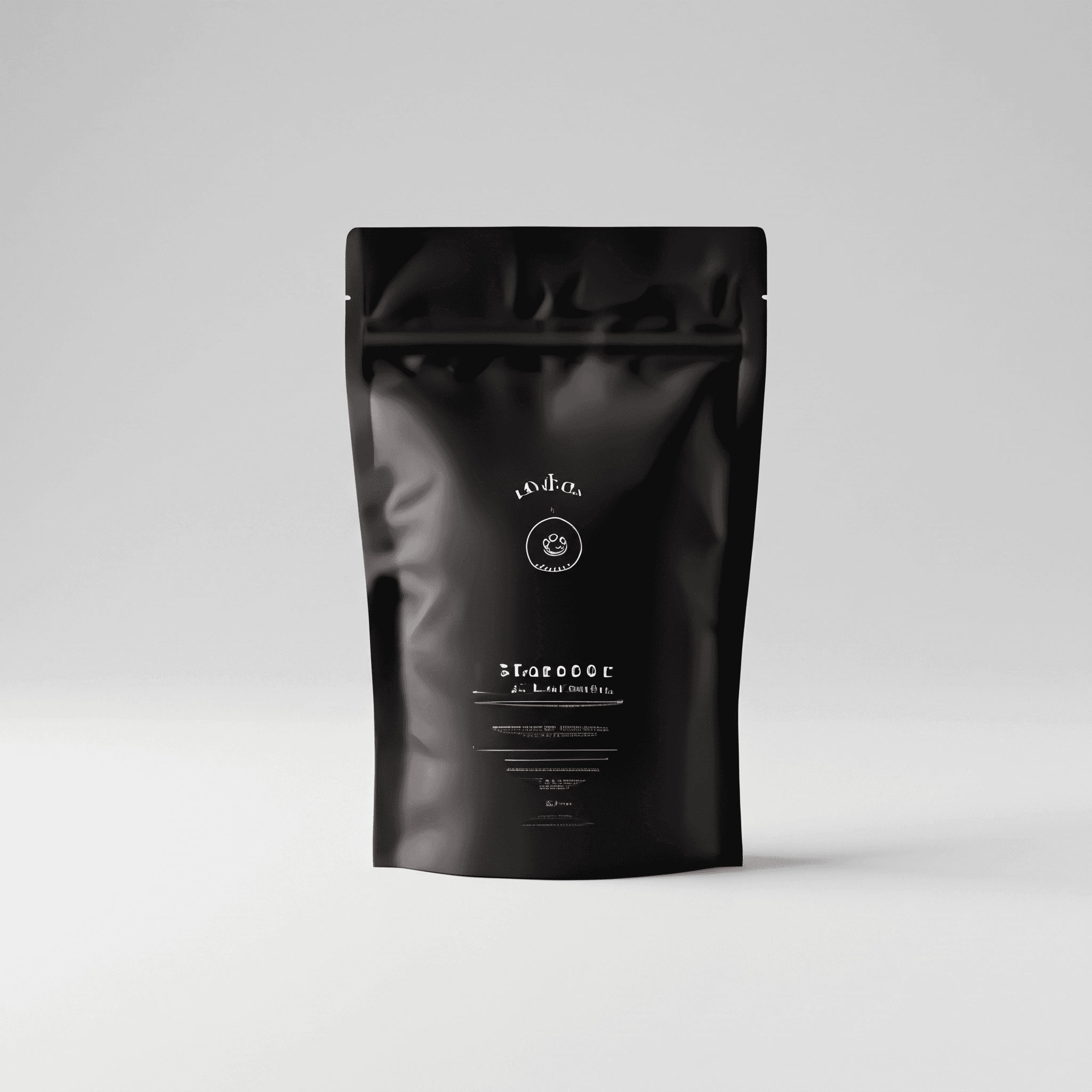
After
PNG1:12K

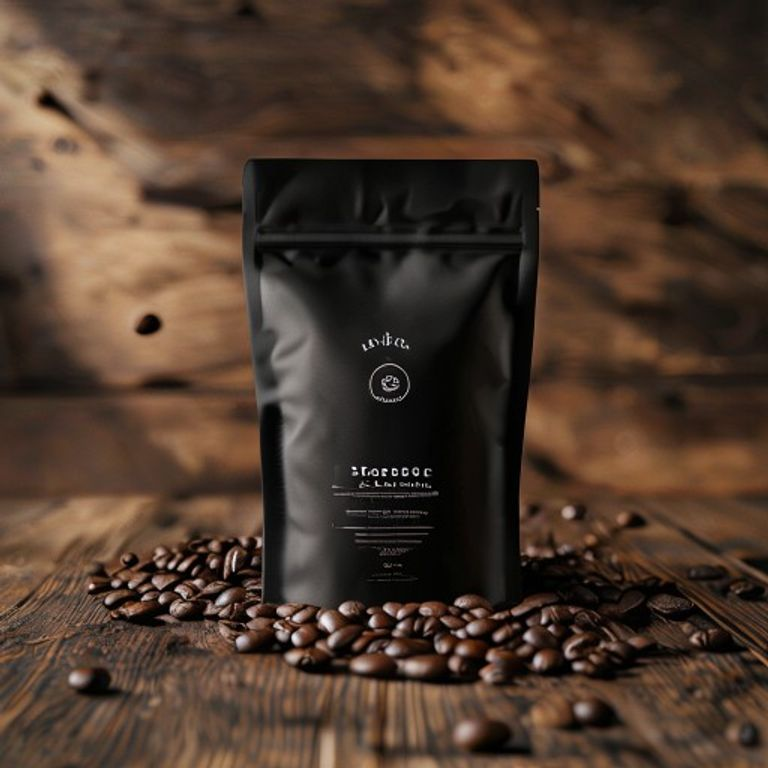
New background, same pouch

Download the photo on the left and upload it in Image Edit. Ask for a light-gray studio sweep and no beans. Then compare the zipper and the label with the original.

The edit redraws the whole frame. If the pouch moves or the label letters change, start the next try from this upload.

Download the photo

Replace the background with a soft light-gray studio sweep. Remove the coffee beans and the wooden table. Keep the pouch shape, the zipper, and the printed label unchanged. No extra props or text.

Load this setup →
1 · Portrait
1 · Portrait
2 · House
2 · House
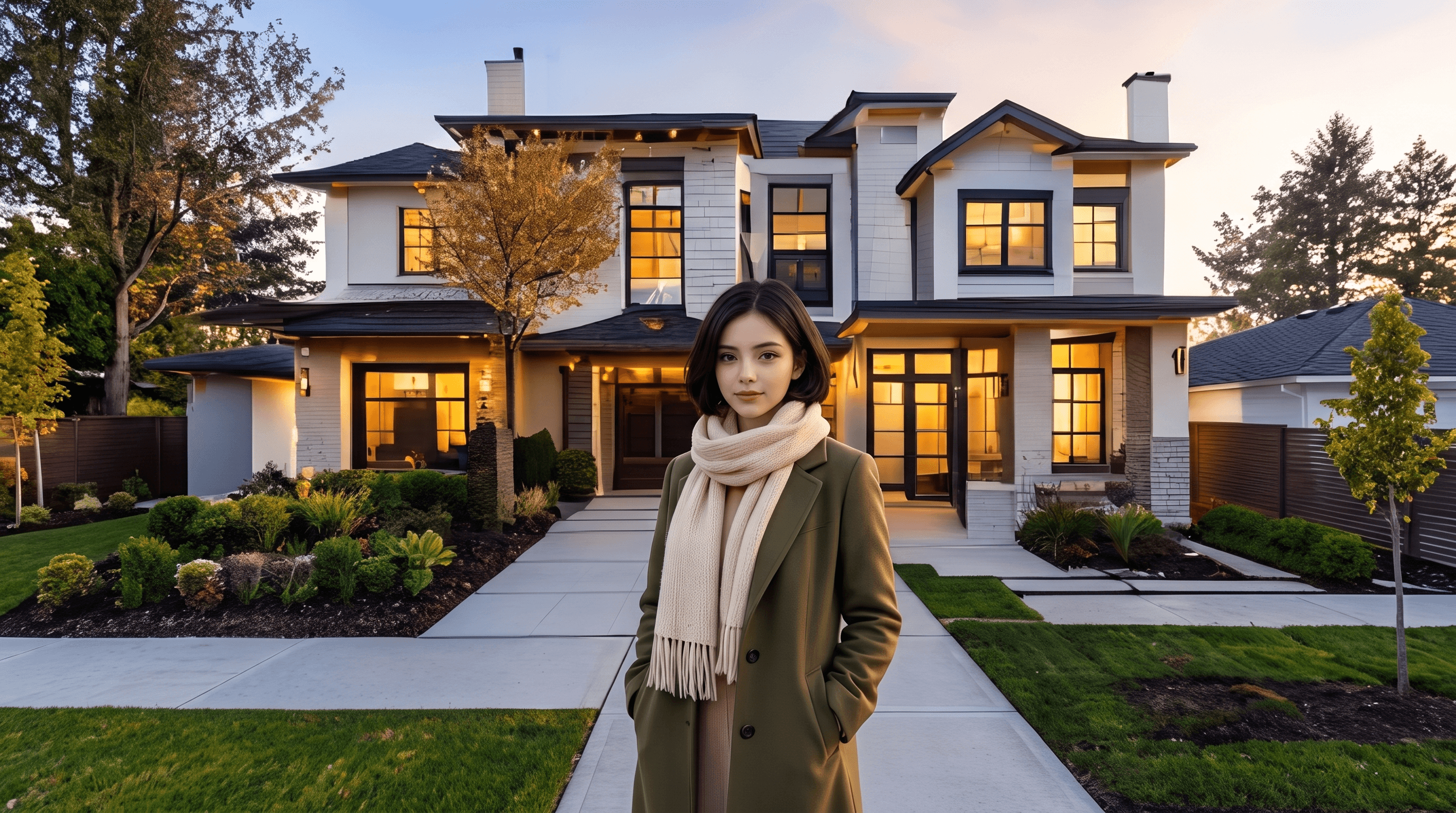
Two photos, one scene
PNG16:92K

Two photos, one scene

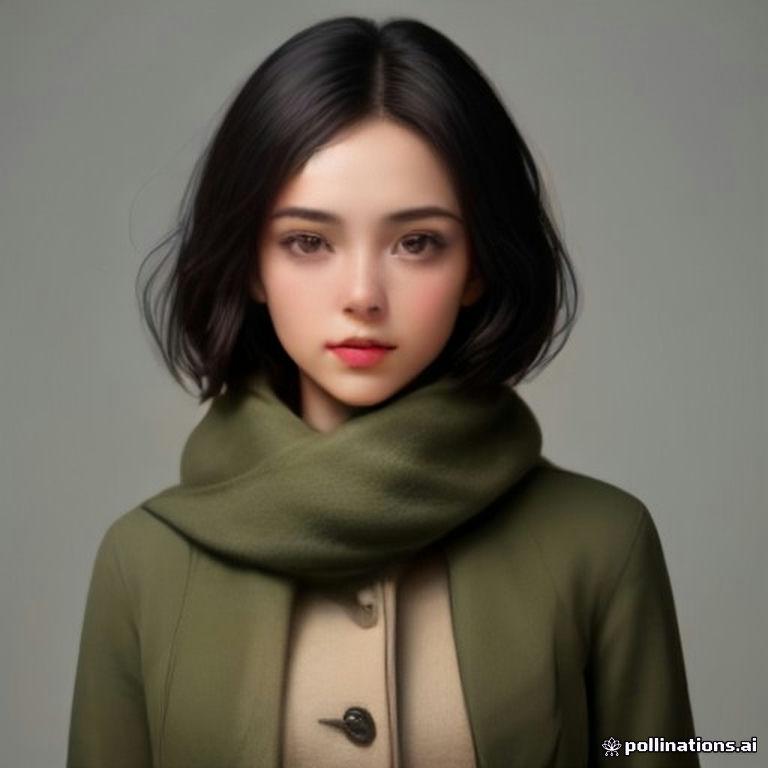
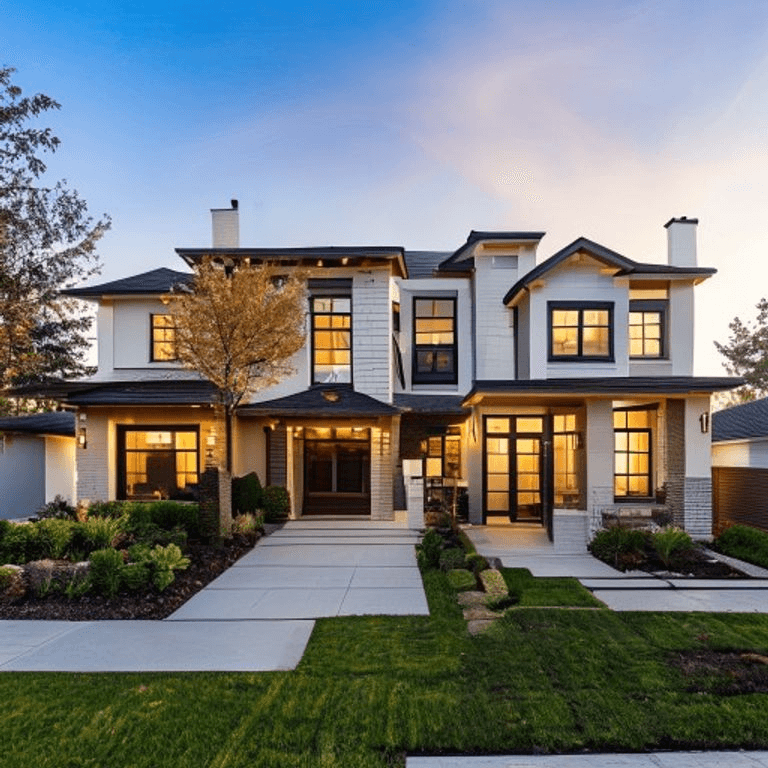
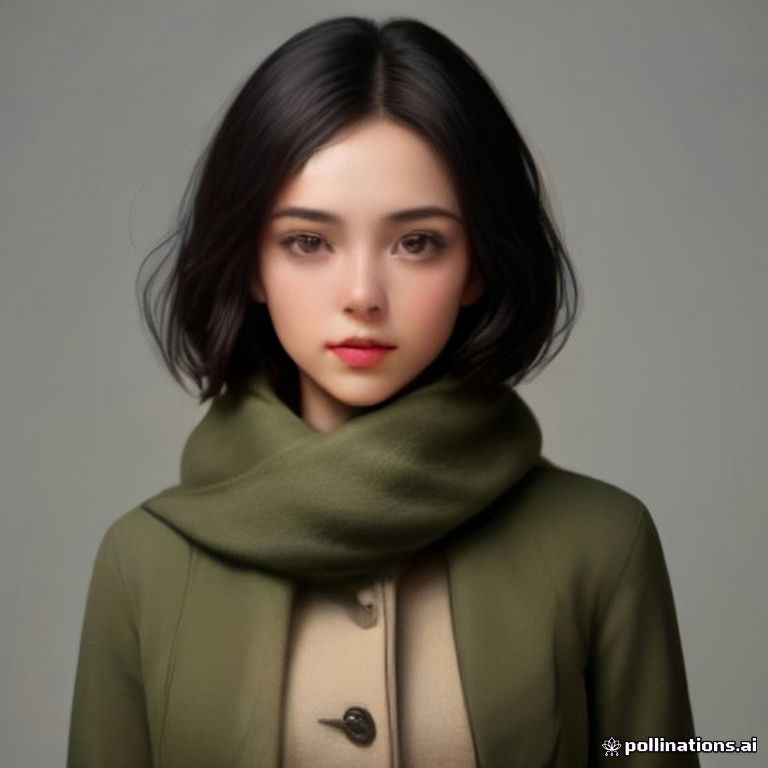
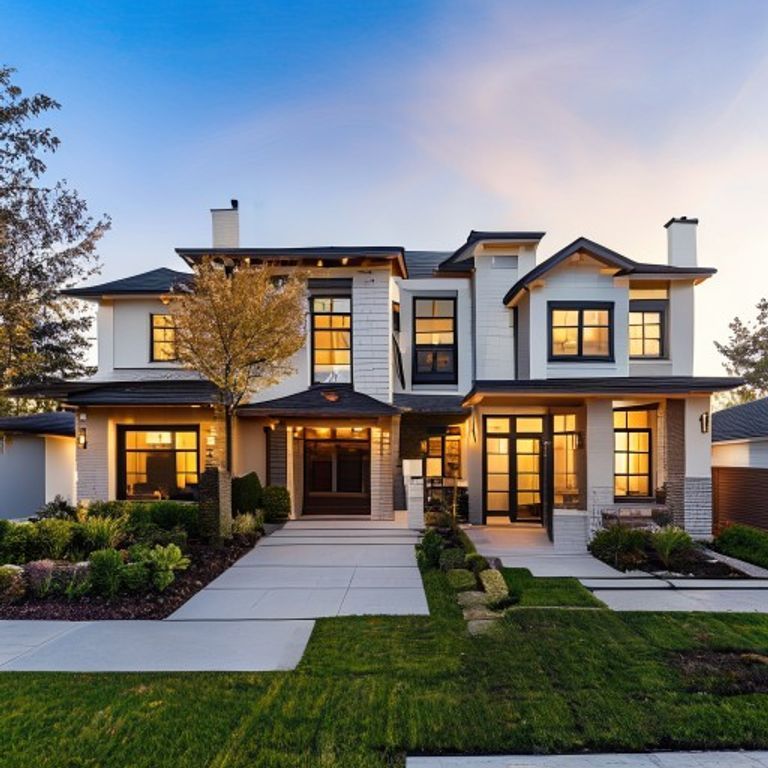
Download the portrait and the house. In Image Edit, upload the portrait first and the house second.

Check the face, the colors, and the lighting. A person will not match the reference every time.

Place the woman from the first photo on the front walkway of the house in the second photo. Keep her face, short dark hair, olive-green coat, and cream scarf. Match the warm evening light. No extra people or text.

Load this setup →
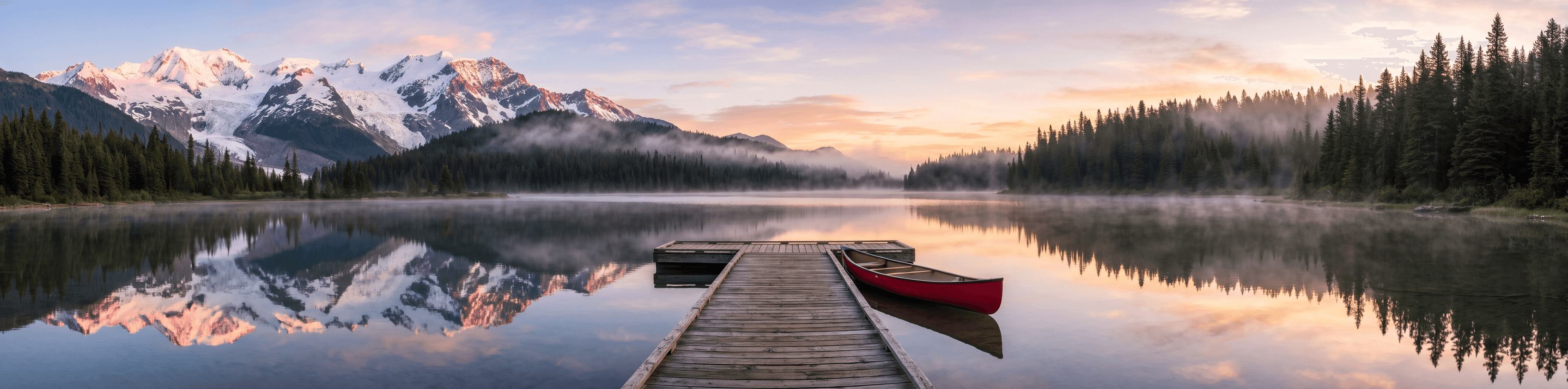
A wide frame without a seam
PNG4:12K

A wide frame without a seam

Use 4:1 or 21:9 at 2K or 4K. Google says the older model tiled these wide frames, and 2.1 is the update that addresses that at 2K and 4K.

Scan the full width. If a dock, tree, or ridge repeats, run it again at 2K or 4K. 1K is the wrong size for this frame.

A wide sunrise panorama of a mountain lake. Snow-capped peaks on the left, pine forest along the shore, a wooden dock with a red canoe in the center, mist and clear reflections on the water. No text, no repeated sections.

Load this setup →

Which model to open

JobNano Banana 2.1Nano Banana 2Nano Banana ProGPT Image 2.6
Short labeled infographicStart here at 2K or 4K. Keep each label short.Layouts with several labels often come back unfinished.Can add words you did not write, then keep them on the next edit.Use it when the job is a few exact quoted lines, not a diagram.
Change one detail in a photoWorks. The frame can still move.Often enough for a single change.Often enough for a single change.Use it when you will revise the same photo more than once.
Face must stay the same personSay what must stay. It can still drift.Same limit.Often closer on faces. Still check the result.Built for quoted text, GIF, and SVG, not face lock.
Exact poster, GIF, or SVGShort labels only. No GIF or SVG.No GIF or SVG.No GIF or SVG.Start here.
Wide banner4:1 or 21:9 at 2K or 4K.Same ratios. Wide frames were the weak point of the older model.No 4:1 frame.Not the wide-frame model.

Check these before you publish

  • Small text is often blurry at 1K. Use 2K or 4K and keep labels short. Long paragraphs are not reliable.
  • An edit redraws the whole frame. The subject can shift, crop tighter, or keep an old pose.
  • Left and right are sometimes swapped. Name the side, then look at the result.
  • A person will not match the reference every time. Say what must stay.
  • An infographic is not a source of facts. Check names, numbers, and claims before you publish.
  • There is no mask or circle control. A photo cannot be exported as an SVG here.

Related

What is Nano Banana 2.1?

Nano Banana 2.1 is an AI image generator released on October 6, 2026. It makes short infographics, edits a photo, and combines up to 10 reference images into one PNG at 1K, 2K, or 4K.

How is Nano Banana 2.1 different from Nano Banana 2?

2.1 is the October 6, 2026 update. The gain shows up on short infographics, several reference photos, and wide frames at 2K or 4K. A single small edit is often similar on Nano Banana 2. Image Enhancer still runs on Nano Banana 2.

When should I use Nano Banana Pro instead?

Use Pro when a face has to stay closer to the reference, or when one scene is crowded with many separate objects. Pro can also invent extra words and then keep them. It does not offer the 4:1 frame.

When should I use GPT Image 2.6 instead?

Use GPT Image 2.6 for a poster with a few exact quoted lines, a short GIF, or a simple SVG mark. Use Nano Banana 2.1 for a labeled infographic, a wide still, or a scene built from several photos.

Can Nano Banana 2.1 render exact text?

Short labels are the reliable case, especially at 2K or 4K. Put the words in quotes and add “no other text.” Small type at 1K, long paragraphs, and facts the model adds on its own are not reliable.

How many photos can I upload?

Up to 10. Say which photo is the subject and which is the place. Google's own app can take more, but this generator stops at 10.

Will an edit leave the rest of my photo unchanged?

No guarantee. The model redraws the whole frame. Faces and large shapes often stay close. The crop, small labels, and left-right placement can change. Start the next revision from the original upload.

How many credits does Nano Banana 2.1 cost?

10 credits at 1K, 15 at 2K, and 22 at 4K. Reference photos are included in that price. New accounts receive free credits.

About Muse Image on Meta Image

Muse Image is Meta's agentic image model. Meta Image is an independent browser studio — not affiliated with or endorsed by Meta Platforms, Inc.