Meta ImageMetaImage

GPT Image 2.6

An AI image generator for posters with the exact words you specify, photo edits, short looping GIFs, and simple SVG marks. Flare is the faster draft. Sunburst is the detail model and the default. It was released on November 4, 2026, and runs in the browser on Meta Image.

On Meta Image — an independent browser studio — GPT Image 2.6 runs with credits, history, and downloads. Meta Image Generator guide →

Stills from 32 credits (1K) · 56 (2K) · 96 (4K). Each photo adds 20. GIF 28 / 40 / 52. SVG adds 6.

Updated November 8, 2026

Need all models and presets? Open full studio →

Specifications

Input
Text prompt, or a text prompt plus an uploaded photo
Output
PNG still, 512×512 GIF, or a simple SVG
Max resolution
Stills up to 4K. GIFs are 512×512.
Credits
Stills 32 / 56 / 96. Each photo +20. GIF 28 / 40 / 52. SVG +6.

What the result looks like

These are the jobs people open GPT Image 2.6 for. Each frame fills in when a real result is saved into the site. Until then it shows the file name and the settings to run.

A poster that spells the words you wrote
SunburstPNG3:42K

A poster that spells the words you wrote

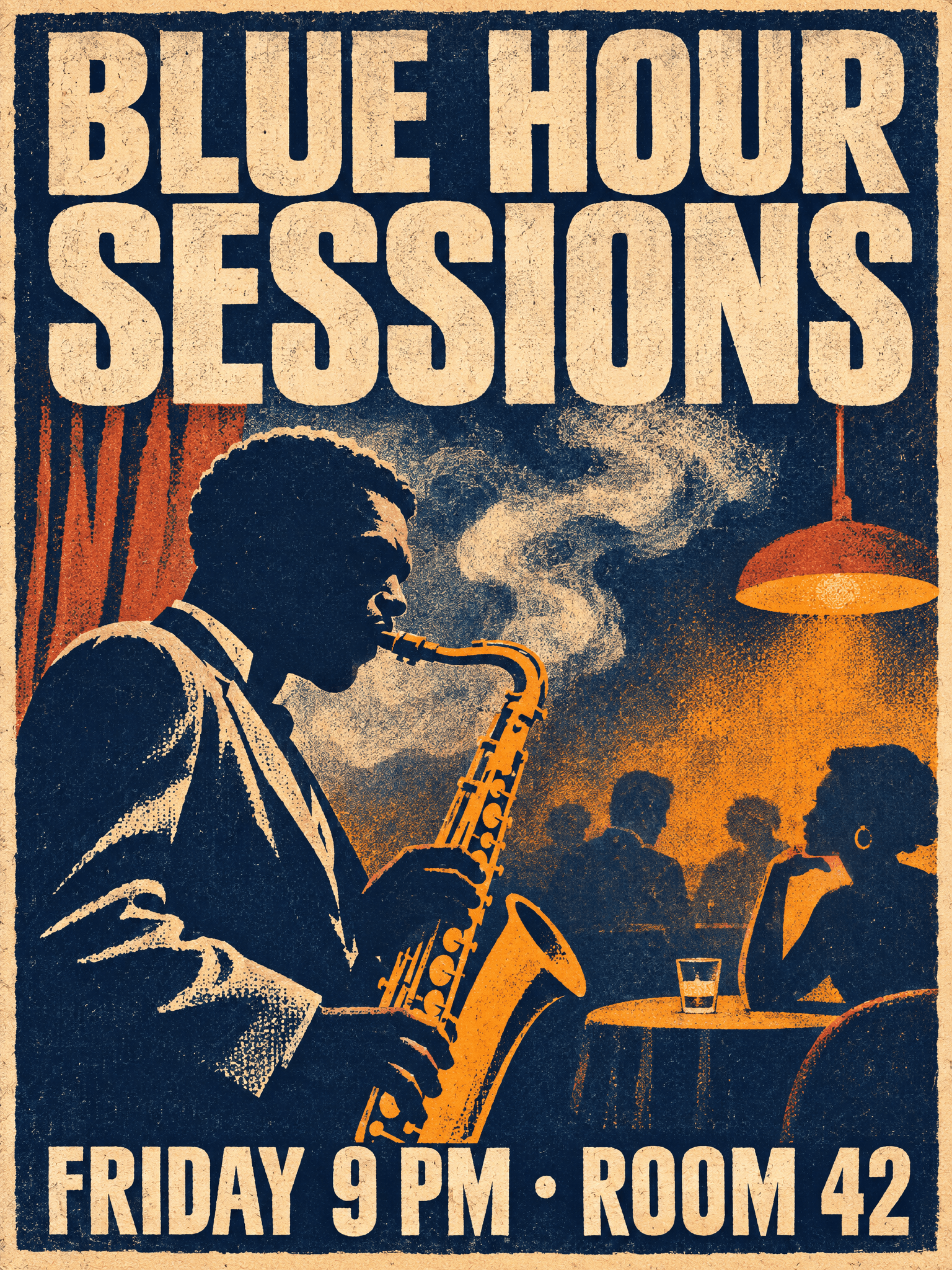
The headline and the time are in quotes. Sunburst is the version to publish. Read the poster once for any extra line the model added on its own.

The two quoted lines should match. An address, a price, or a sponsor that was not in the prompt should not be printed.

A vertical poster for a jazz night. Subject: a saxophonist silhouette. Setting: smoky club interior in deep navy and amber. Style: 1960s screen-print, four-color palette, paper grain. Text: headline "BLUE HOUR SESSIONS" at the top in bold condensed sans-serif; "FRIDAY 9 PM · ROOM 42" at the bottom. Constraints: no other text, keep all lettering inside a 5% margin.

Load this setup →
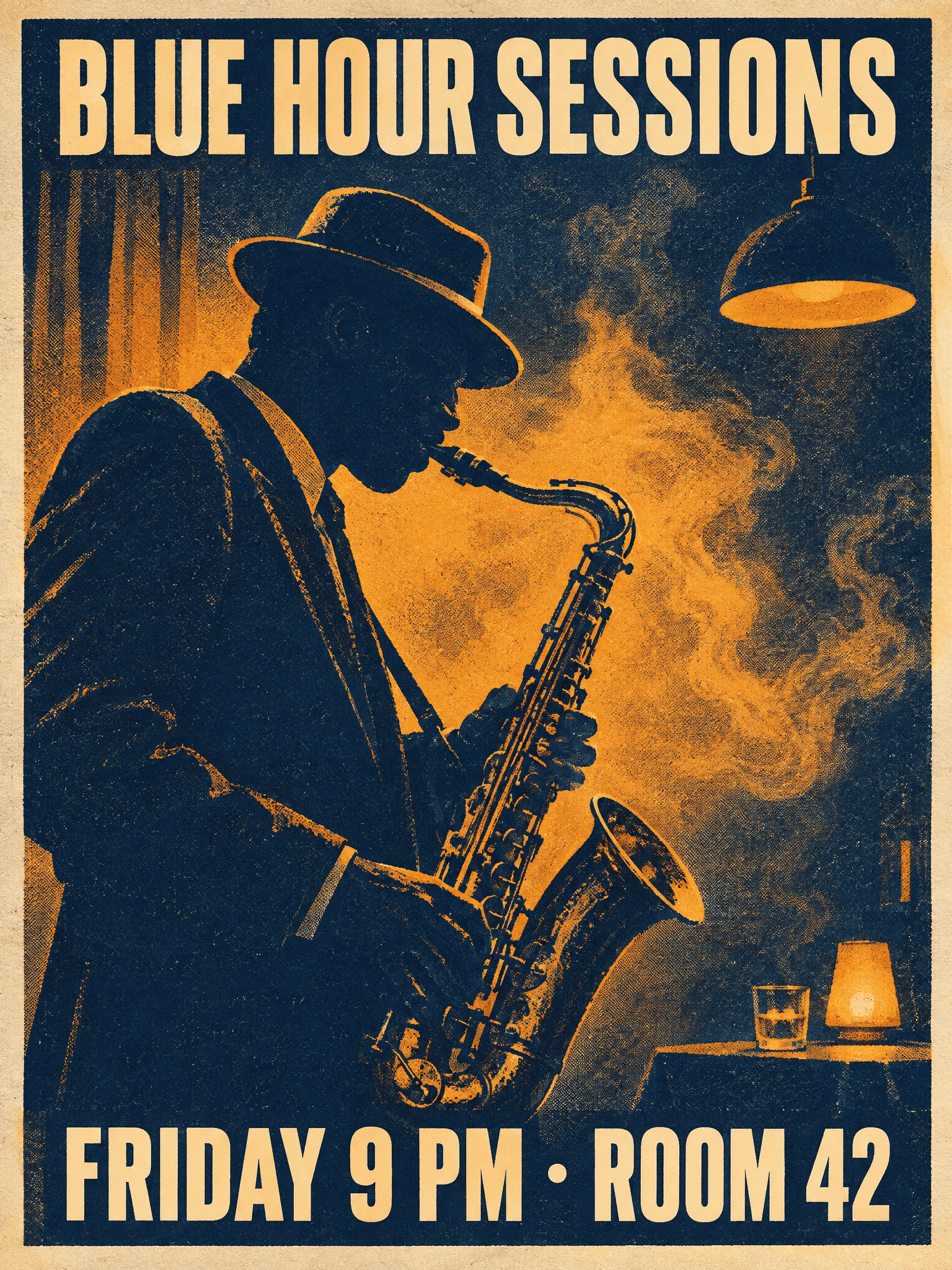
Same poster, two variants

Flare is the faster draft. Sunburst is the default because the layout and the type stay more intact.

Flare · draft
FlarePNG3:42K
Flare · draftLoad this setup →
Sunburst · detail
SunburstPNG3:42K
Sunburst · detailLoad this setup →
Upload this
Upload this
After the edit
SunburstPNG1:12K

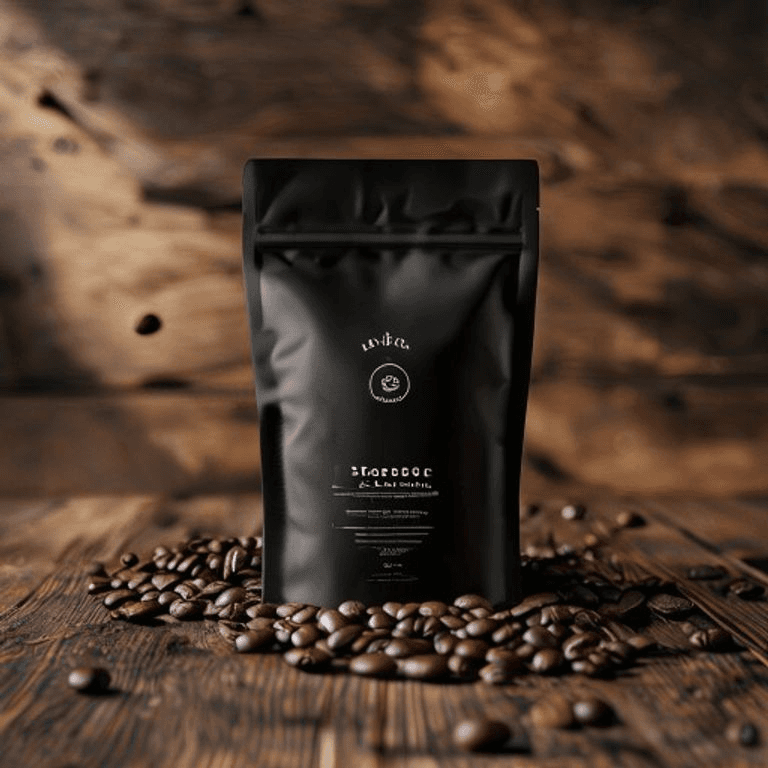
New background, same pouch

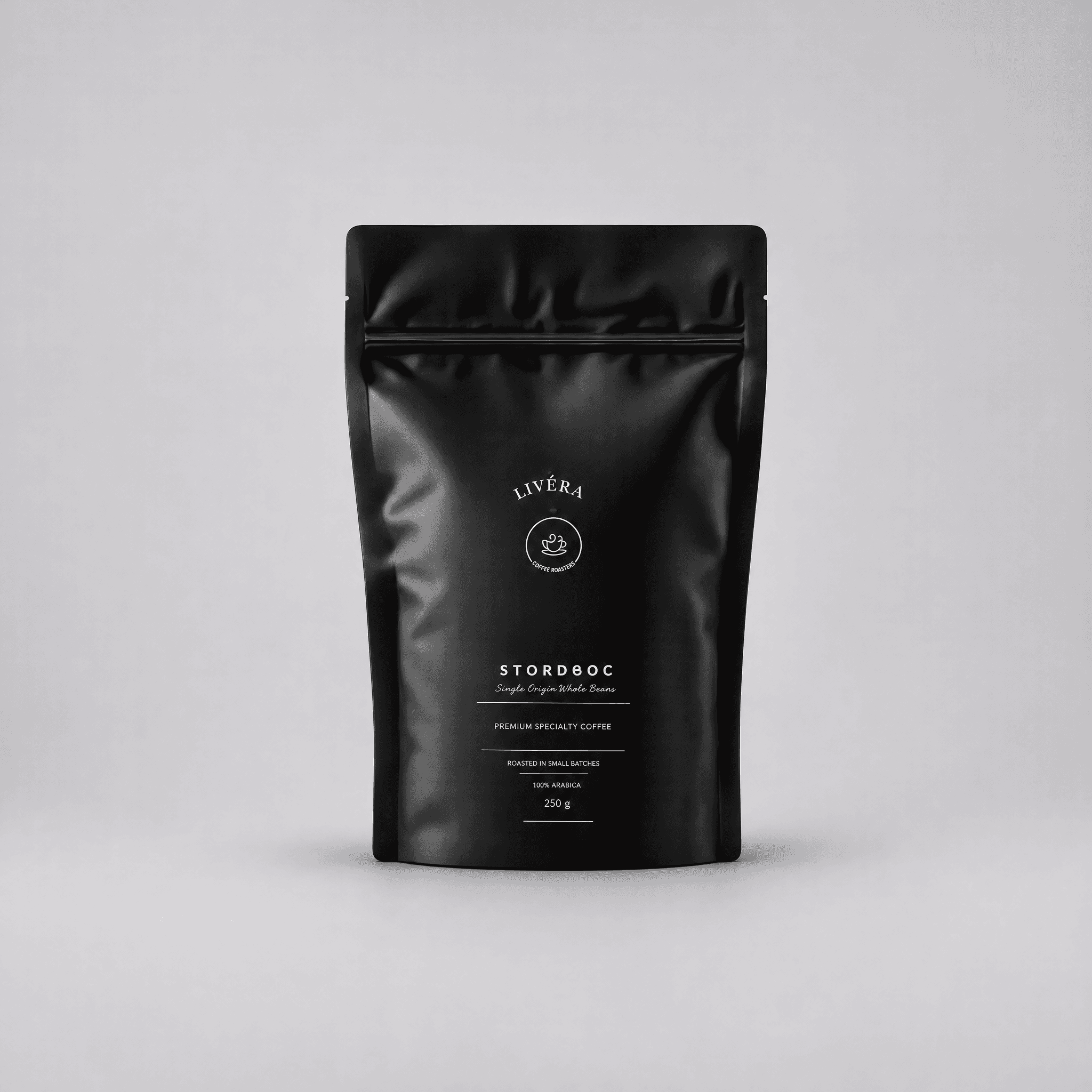
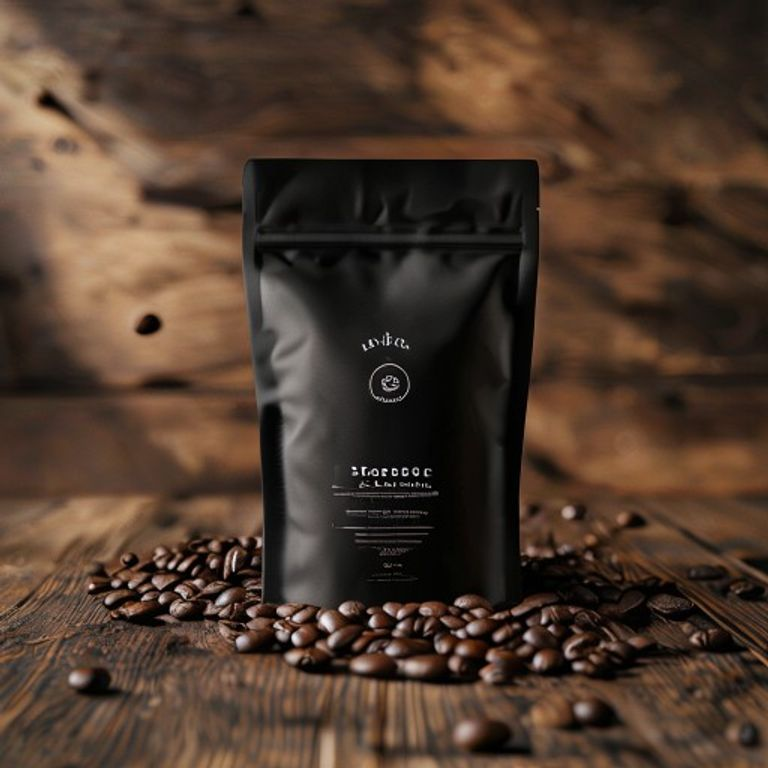
Download the photo on the left and upload it in Image Edit. Ask for a light-gray studio sweep and no beans. Then compare the zipper and the label with the original.

The edit redraws the whole frame. If the label letters move, run the next try from this upload, not from the new image.

Download the photo

Replace the background with a soft light-gray studio sweep. Remove the coffee beans and the wooden table. Keep the pouch shape, the zipper, and the printed label unchanged. No extra props or text.

Load this setup →
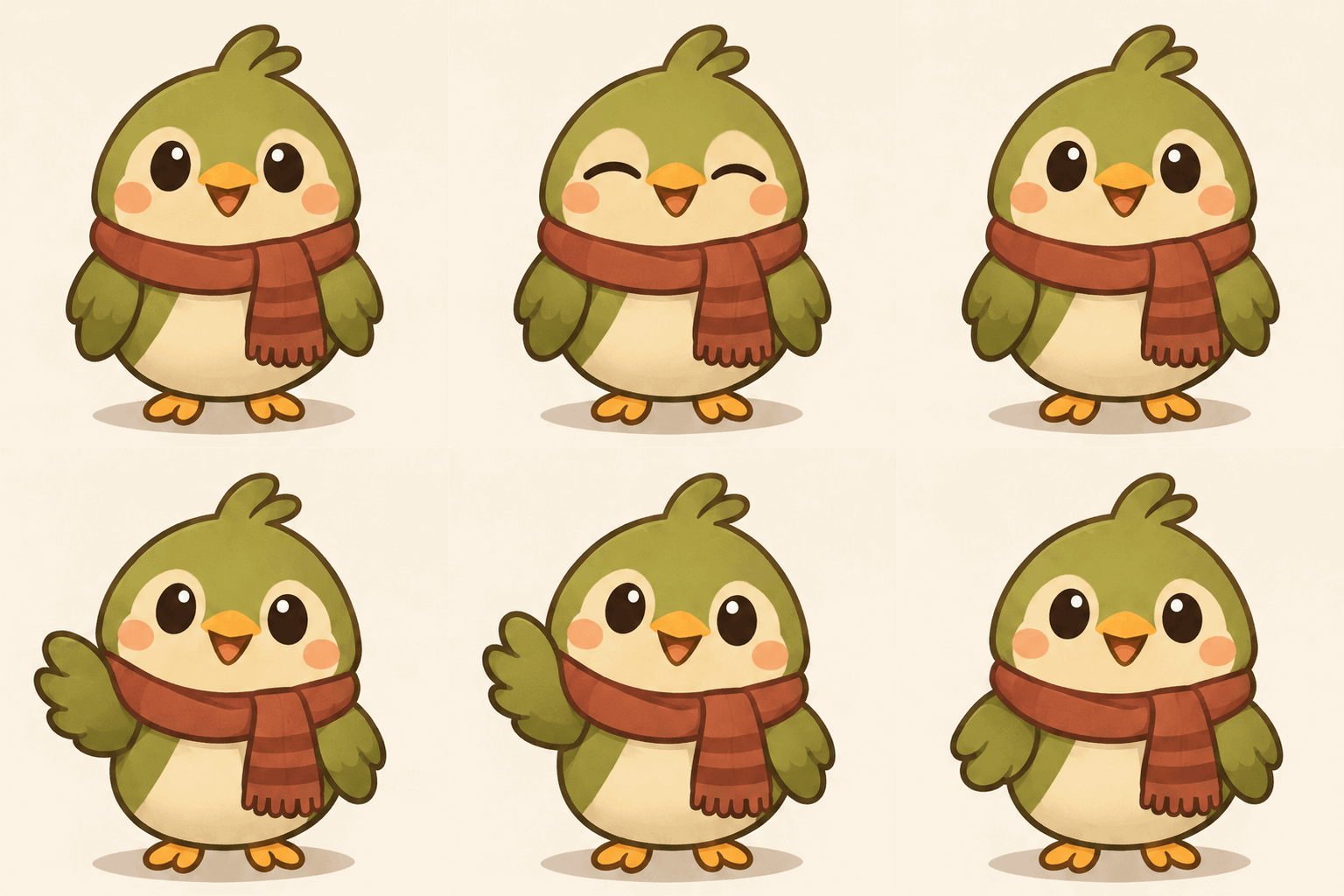
A mascot that loops
SunburstGIF9 frames512×512

A mascot that loops

One blink and a wave, then back to the first pose. The file is 512×512 and nine frames. It fits a social post.

If the bird jumps between frames, shorten the action. This is not a video model.

A round brand mascot, a small olive-green bird in a scarf, stands on a plain cream background. It blinks, lifts one wing in a wave, then returns to the same starting pose. Camera stays still. Motion loops smoothly. No text.

Load this setup →
A logo you can scale
SunburstSVG1:1

A logo you can scale

A flat bird mark, with no letters. SVG stays sharp when you resize it. A photograph will not become a clean SVG here.

Zoom in on the file. If it is still a photo, the export did not land as vectors.

A simple flat logo mark of an olive-green bird head in profile, one closed shape plus a small scarf accent, on a cream background. No letters, no gradients, no photorealistic detail, no extra shapes.

Load this setup →

Which setting to use

JobStart with
Poster or ad with exact wordingSunburst, PNG. Put every required word in quotes and add “no other text.”
Several quick drafts of one ideaFlare. Check the layout before you treat a draft as final.
Change one thing in a photoSunburst, PNG. This page uses a tighter planning setting on edits. Start each revision from the original upload.
Short mascot or reaction loopSunburst, GIF, 9 frames. One action, camera still, return to the starting pose.
Simple logo you can scaleSunburst, SVG, from a text prompt. Ask for a flat mark with few shapes.
Everyday photo edit or multi-photo blendMuse Image.
The previous GPT Image engineGPT Image 2, still available in the studio.

Check these before you publish

  • Edits redraw the whole frame. Handwriting, tiny labels, and skin tone can change even when the prompt says to keep them.
  • Text you specify is usually reliable. Brand names, prices, and addresses the model adds on its own are not.
  • A GIF is 512×512 and 6, 9, or 12 frames. Frame-to-frame flicker is common. It is not a substitute for a video model.
  • SVG export is a simple static vector file from a text prompt. You cannot edit a photo into an SVG here.
  • Repeated edits on top of a generated image pick up blotches. Go back to the original upload for the next change.
  • Flare is for drafts. Sunburst is the default because early users found 2.6 Flare more likely to simplify or break a layout.

Related

What is GPT Image 2.6?

GPT Image 2.6 is an AI image generator released on November 4, 2026, also called Images 2.6. Flare is the faster draft. Sunburst is the detail model, with steadier results across edits. It outputs a PNG, a short GIF, or a simple SVG.

What is the difference between Flare and Sunburst?

Flare is the faster draft variant. Sunburst is the detail variant and the better start for a final still or an edit you will run more than once. This page defaults to Sunburst.

When should I use GPT Image 2.6 instead of GPT Image 2 or Muse Image?

Use Muse Image for everyday photo edits and multi-photo blends. Use GPT Image 2.6 for a poster with exact wording, a short GIF, a simple SVG mark, or an edit you expect to revise. GPT Image 2 remains available as the previous engine.

Can GPT Image 2.6 render exact text?

Put every word that must appear inside quotes, and add “no other text.” Specified text is usually spelled correctly. Words the model invents, such as a brand name or a street address, are not reliable.

Can GPT Image 2.6 make an animated GIF?

Yes. A GIF on Meta Image is 512×512, with 6, 9, or 12 frames at 200ms each. Describe one action, keep the camera still, and ask the motion to return to the starting pose. These loops suit a social post or a mascot, not a finished commercial.

Can GPT Image 2.6 make an SVG logo?

Yes, from a text prompt. Ask for a simple flat mark with few shapes. The file is static vector artwork. Photo editing cannot export SVG.

Will an edit leave the rest of my photo unchanged?

No guarantee. The model redraws the whole frame. Faces and large shapes often stay close. Handwriting, tiny labels, and skin tone can change. Change one thing at a time, and start each revision from the original upload.

How many credits does GPT Image 2.6 cost?

Stills are 32 credits at 1K, 56 at 2K, and 96 at 4K. Each uploaded photo adds 20 credits. A GIF is 28, 40, or 52 credits for 6, 9, or 12 frames. An SVG is the still price plus 6. New accounts receive free credits.

About Muse Image on Meta Image

Muse Image is Meta's agentic image model. Meta Image is an independent browser studio — not affiliated with or endorsed by Meta Platforms, Inc.